AI-Powered features for faster, easier policy creation
We’re excited to bring another update to the HPE Networking Instant On Cloud Portal. This release for Instant On switches, access points, and the Cloud Portal adds new capabilities to the AI-Powered Network Assistant, WireGuard VPN support, and efficiency improvements for Port and RADIUS profiles, making everyday network management smoother for administrators of all experience levels.
Smarter policies with AI assistance
In the 3.2.1 update, the AI-Powered Networking Assistant helped admins create policies for isolating IoT devices, segmenting guest traffic, or prioritizing applications. With 3.3.0, the Assistant now supports additional policies for users with a Secure Gateway SG1004 or SG2505P on their network. To access the Assistant, select “Policies” then “Create Policies”
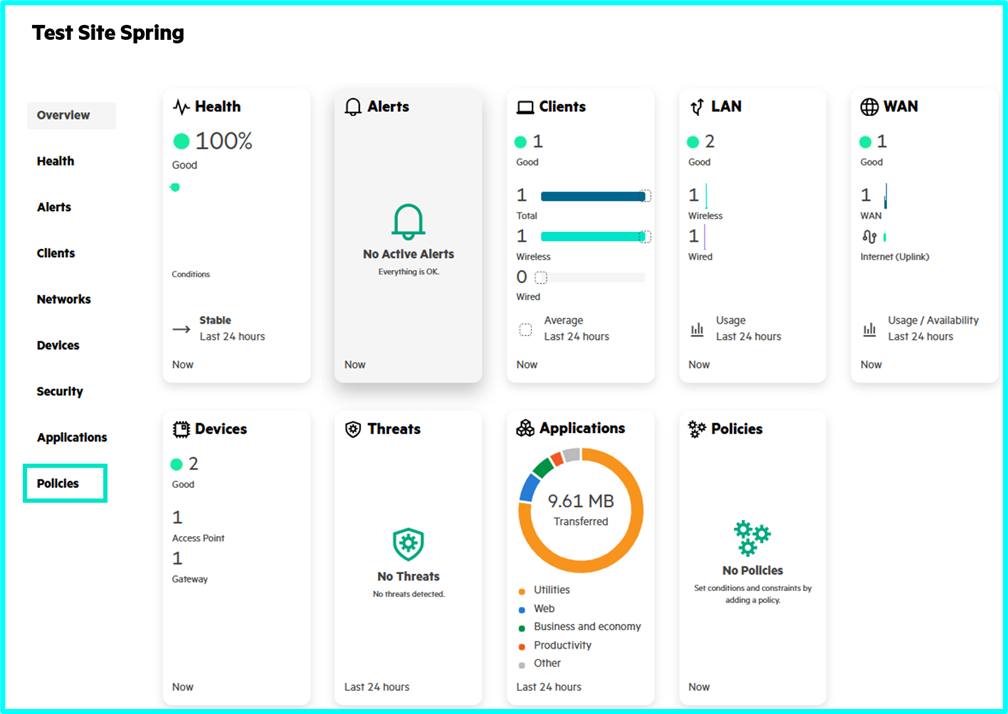
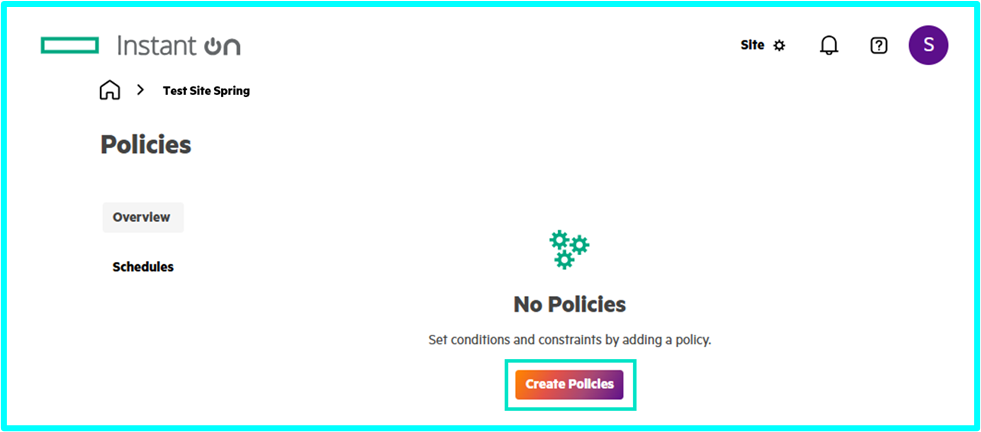
Policies can be created using simple language, such as: “Block traffic from website.com” or “Stop communication between these networks”.
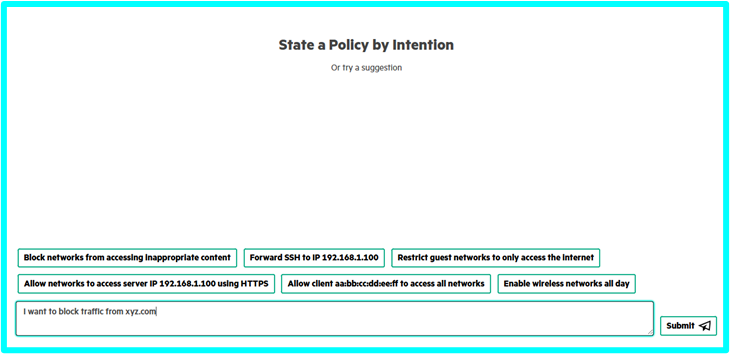
The AI Assistant will create the policy for you to review and approve.
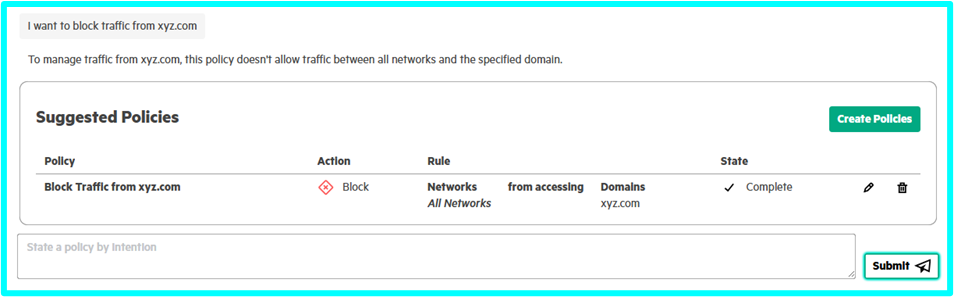
There is an option to edit the created policy prior to execution.
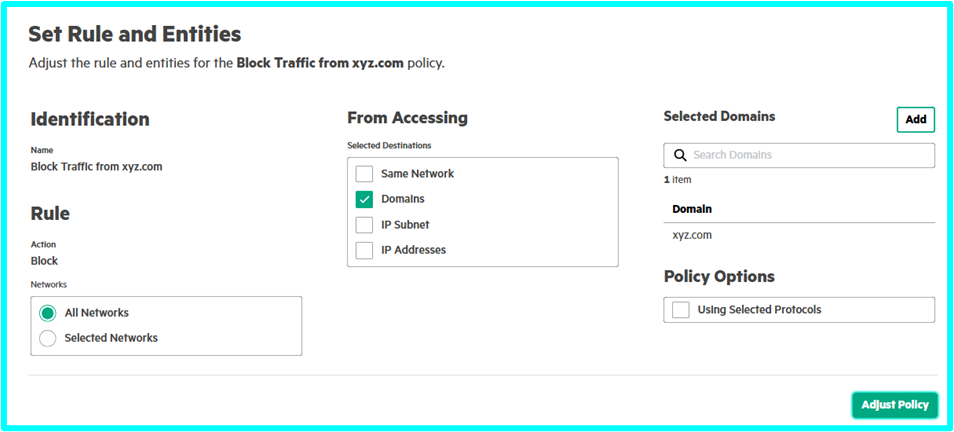
For full instructions on how to utilize the AI-Powered Network Assistant, see the Instant On User Guide
Easy remote access with WireGuard
Networks that include our new Secure Gateways can now quickly set up client VPN access with WireGuard integration. This added feature makes it easy for end-users to get remote access to the network over a secure private connection. WireGuard remote client VPN is a free VPN service that is available on many mobile devices, allowing administrators to keep their users connected to on-premises resources without the costly hardware that comes along with traditional VPN solutions.
To create a VPN:
- From the Home Page, click Create Network
- Select VPN
- Fill in the WireGuard listening port, client IP address, and choose which networks (VLANs) the user can access
- Complete WireGuard setup on the client system and provide them with the generated client VPN configuration from the Cloud Portal
Time-saving Port and RADIUS profiles
Based on feedback from our partners, some administrators use the same port setting across some or all ports of their switches. Similarly, RADIUS configurations are time-consuming and typically applied to multiple devices across the network. Admins can now save Port and RADIUS Profiles, reducing the time it takes to configure each port or apply RADIUS settings. Creating these Profiles takes a few steps, and we will provide a standalone blog on how to make the Port and RADIUS Profiles
Update availability
All of these new features will be available during your selected update window starting the week of August 25th. Notifications will be sent out via the Instant On mobile app and can also be seen on the cloud portal.